
Compass AI Excel Add-in
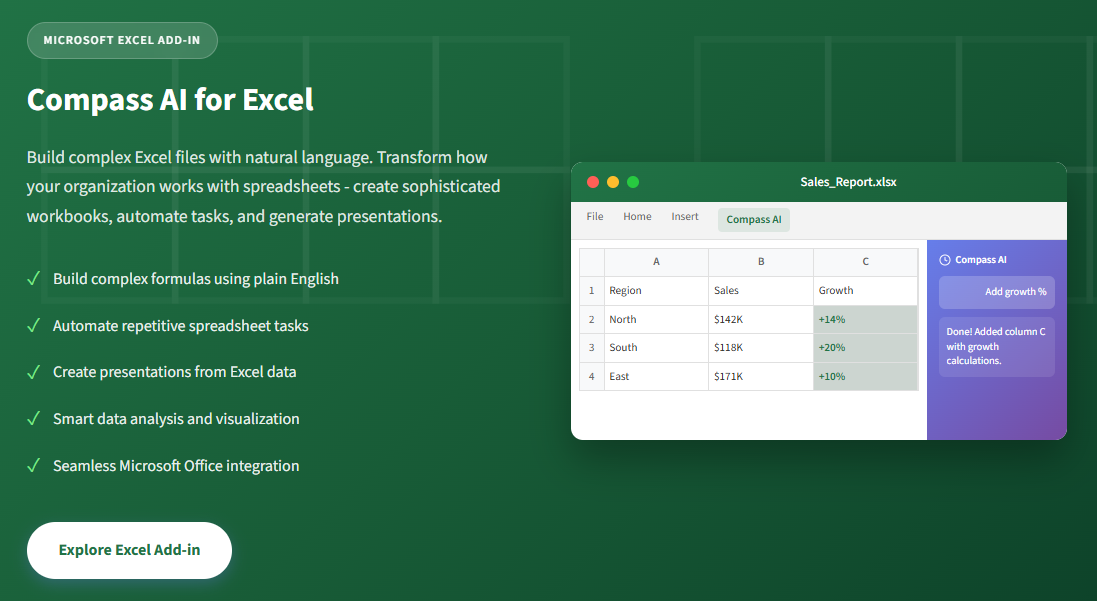
Transform how your organization works with spreadsheets. Compass AI Excel Add-in lets anyone create sophisticated workbooks, automate repetitive tasks, and generate presentations - all by simply describing what you need.
Learn More
Visit the Excel Add-in home page for more information and to download the add-in.
Key Features
- Build complex formulas using plain English - Stop memorizing syntax
- Automate repetitive spreadsheet tasks instantly - Save hours every week
- Create presentations directly from Excel data - Seamless integration
- Integrate with other Compass AI agents - Multi-agent ecosystem
- Smart data analysis and visualization - AI-powered insights
Performance Metrics
Organizations using Compass AI Excel Add-in see dramatic improvements:
- 75% Reduction in Spreadsheet Creation Time
- 90% Fewer Formula Errors
- 5x Faster Report Generation
- 100% Natural Language Interface
Why Choose Compass AI Excel Add-in
Natural Language Spreadsheet Building
Stop memorizing complex formulas and syntax. Simply describe what you want in plain English, and Compass AI builds it for you - from simple calculations to multi-sheet data models.
Capabilities:
- Create VLOOKUP, INDEX/MATCH, and array formulas by description
- Build pivot tables and charts with a simple request
- Generate complex conditional formatting rules instantly
- Transform messy data into structured tables automatically
Intelligent Automation at Scale
Eliminate hours of repetitive work. Compass AI learns your patterns and automates the tedious tasks that drain your team's productivity every day.
Capabilities:
- Automate data cleaning and standardization
- Generate recurring reports with one command
- Batch process multiple workbooks simultaneously
- Create reusable templates from existing spreadsheets
From Data to Presentation in Seconds
Leverage Compass AI's multi-agent ecosystem. Transform your Excel data directly into polished PowerPoint presentations, complete with visualizations and insights.
Capabilities:
- Generate executive presentations from spreadsheet data
- Create charts and graphs optimized for presentations
- Extract key insights and talking points automatically
- Maintain consistent branding across all outputs
Use Cases
Finance
Automated Financial Modeling
"Create a 3-year forecast model based on this historical data with 10% annual growth assumption" - Build complex financial models in minutes, not days.
Sales
Pipeline Analysis & Reporting
"Analyze this sales data, identify top performers, and create a presentation for the quarterly review" - Turn CRM exports into actionable insights instantly.
Operations
Inventory & Supply Chain
"Flag all items below reorder point and calculate optimal order quantities based on lead times" - Automate inventory management calculations.
HR
Workforce Analytics
"Analyze headcount trends by department, calculate turnover rates, and visualize hiring patterns" - Transform HR data into strategic insights.
Marketing
Campaign Performance
"Compare ROI across all marketing channels, highlight top performers, and create an executive summary" - Data-driven marketing decisions made easy.
Project Management
Resource Planning
"Create a Gantt chart from this task list, identify resource conflicts, and suggest reallocation" - Visual project planning without the complexity.
Data Analytics
Data Transformation
"Clean this dataset, split names into columns, standardize dates, and remove duplicates" - Data wrangling that used to take hours, done in seconds.
Executive
Board Reporting
"Generate a board-ready presentation from these KPI sheets with trend analysis and key highlights" - Executive communications made effortless.
Value for Everyone in the Organization
For Individual Users
Analysts, Accountants, Coordinators
- Eliminate formula frustration - describe what you need
- Automate repetitive weekly/monthly tasks
- Learn Excel faster with AI-guided explanations
- Produce professional outputs without advanced skills
- Focus on analysis, not data manipulation
For Team Leaders & Managers
Team Leads, Department Heads
- Standardize reporting across your team
- Reduce time spent on spreadsheet support requests
- Enable less technical team members to self-serve
- Accelerate project timelines with faster deliverables
- Improve data quality and consistency
For Executives & Leadership
Directors, VPs, C-Suite
- Get board-ready presentations in minutes
- Reduce operational costs through automation
- Accelerate decision-making with faster insights
- Improve workforce productivity organization-wide
- Enterprise security that meets compliance requirements
Key Features in Detail
Natural Language Formula Building
Stop Googling Excel formulas. Simply describe what calculation you need, and Compass AI writes the formula for you - with explanations so you can learn and adapt.
Example workflow:
- User: "Calculate the running total of column B"
- Compass AI: Formula created:
=SUM($B$2:B2) - Applied to cells C2:C100 with auto-fill
Features:
- Complex nested formulas generated from simple descriptions
- Automatic error checking and optimization suggestions
- Step-by-step explanations for learning
Multi-Agent Ecosystem Integration
Compass AI Excel Add-in doesn't work in isolation. Connect with other Compass AI agents to transform your Excel data into presentations, reports, and more - all from within Excel.
Example workflow:
- User: "Create a presentation from this sales data"
- Connecting to Presentation Agent...
- 12-slide presentation generated
- Charts, insights, and speaker notes included
Capabilities:
- Generate PowerPoint presentations from Excel data
- Create Word documents and reports automatically
- Connect to business intelligence dashboards
Microsoft Ecosystem Integration
Compass AI Excel Add-in seamlessly integrates with your Microsoft environment:
- Microsoft Excel - Native add-in integration
- Microsoft 365 - Full cloud compatibility
- SharePoint - Shared workbook support
- OneDrive - Cloud storage integration
Getting Started
Ready to transform your Excel experience? Get started with Compass AI Excel Add-in today.
Visit our installation portal for the manifest file and step-by-step setup instructions.
Installation
- Visit https://excel-addin.compassap.ai/
- Download the manifest file
- Follow the step-by-step installation instructions
- Start using natural language to build spreadsheets
Support
For issues, questions, or feature requests, please visit our support portal or contact our team.